Shiftmate
Purchase request and order tracking Excel
Track purchase requisitions, target price, supplier, delivery date and order status.
Prepared by:Shiftmate Product and Operations Team · Son kontrol:
Actual file previews
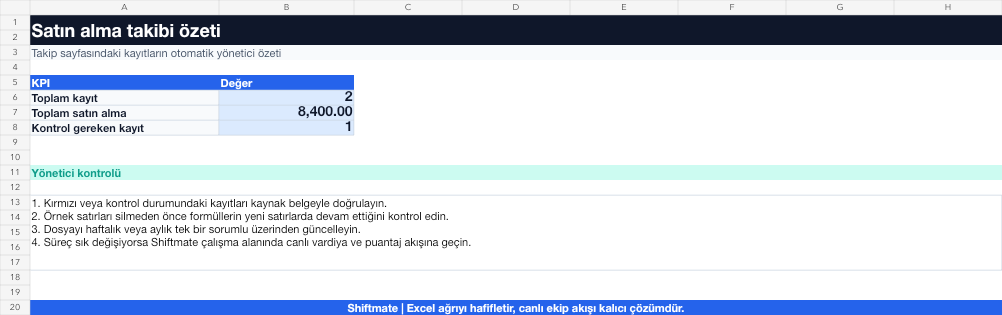
The images below are the actual data entry and executive summary pages of the workbook to be downloaded.

Step by step usage
Prepare the file according to your business
Record the request number, requesting branch or person, product, quantity, date of need, target price, approver, selected supplier and delivery status.
Run formulas and checks
The price difference is the actual minus target amount. Delay is a record whose delivery status has not been closed even though the need or commitment date has passed.
Turn results into action
Review the indicators on the summary page. Separate the request from the order. Verify approval status before purchase. Record the partial delivery with separate quantity.
What does this Excel file solve?
Track purchase requisitions, target price, supplier, delivery date and order status. Record the request number, requesting branch or person, product, quantity, date of need, target price, approver, selected supplier and delivery status.
What's inside the file?
Request number, Target and actual price, Delivery date, Order status. The file contains sample rows, canned formulas, data validation fields, risk colorings, and executive summary.
Calculation and control logic
The price difference is the actual minus target amount. Delay is a record whose delivery status has not been closed even though the need or commitment date has passed.
Worked example: Weekly purchase control
17 open requests. 4 delayed deliveries. Price above target in 2 requests. Result: Delayed and high-cost requests are prioritized in the same list; Action is taken with the supplier before the branch stock runs out.
Decisions that can be taken as a result of this
Separate the request from the order. Verify approval status before purchase. Record partial delivery with separate quantity
Common usage mistakes
Reusing the request number. Confusing the need date with the order date. Mark a partial delivery as fully delivered
Limits and proper use
The template is not an approval or accounting system; Authorization limits, contract and invoicing process require separate controls.
Compatibility and quality control
All 67 workbooks underwent formula error scanning, recalculation checking, and page-by-page visual inspection. Standard .xlsx file; Does not contain macros or external links. Formulas and data validation fields run inside the file. It is recommended that you keep the original file and work on a separate copy for your business.
Transitioning from Excel to automation
Use the file to solve restaurant operation needs immediately. When registration and approval traffic grows, move the same process to the Shiftmate workspace.
Frequently asked questions
Can a request be split across multiple suppliers?
Yes. Add sublines to the main requisition number and track the quantity, price and status of each delivery separately.
Where should the target price come from?
Write the last bid, budget or current market quote with a source note; Keep visible what date the comparison is from.