Shiftmate
Menu engineering profitability matrix Excel
Divide the products into star, workhorse, puzzle and dog categories according to sales quantity and contribution margin.
Prepared by:Shiftmate Product and Operations Team · Son kontrol:
Actual file previews
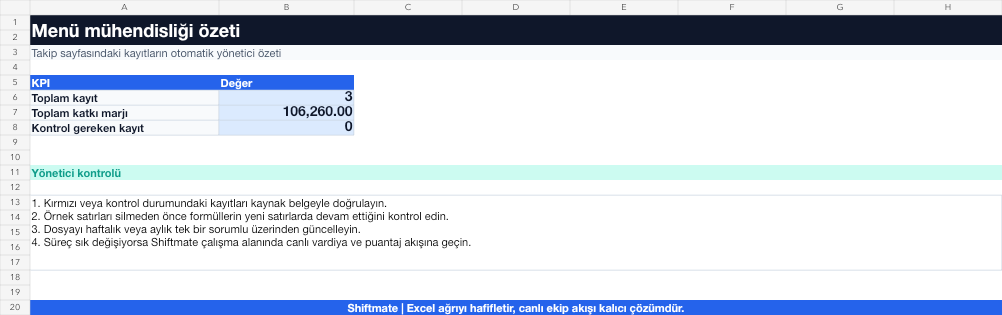
The images below are the actual data entry and executive summary pages of the workbook to be downloaded.

Step by step usage
Prepare the file according to your business
For each menu product, enter the period sales quantity, net sales price and unit product cost. Perform the analysis for the same period and with the same sales channel definition.
Run formulas and checks
Contribution margin is the selling price minus the product cost. Products are divided into star, workhorse, puzzle or dog groups according to the number of sales and whether the contribution margin is higher/lower than the menu averages.
Turn results into action
Review the indicators on the summary page. Maintain quality and availability of star product. Improve the cost of the workhorse product. Test the puzzle product's name, location or sales narrative.
What does this Excel file solve?
Divide the products into star, workhorse, puzzle and dog categories according to sales quantity and contribution margin. For each menu product, enter the period sales quantity, net sales price and unit product cost. Perform the analysis for the same period and with the same sales channel definition.
What's inside the file?
Number of product sales, Contribution margin, Popularity rate, Menu classification. The file contains sample rows, canned formulas, data validation fields, risk colorings, and executive summary.
Calculation and control logic
Contribution margin is the selling price minus the product cost. Products are divided into star, workhorse, puzzle or dog groups according to the number of sales and whether the contribution margin is higher/lower than the menu averages.
Worked example: Four-item menu analysis
Burger: 420 pieces / 118 TL contribution. Salad: 90 pieces / 156 TL contribution. Pasta: 360 pieces / 62 TL contribution. Result: Burger is the star, salad is the puzzle, pasta is the workhorse; Different pricing and visibility actions are selected for each product.
Decisions that can be taken as a result of this
Maintain quality and availability of star product. Improve the cost of the workhorse product. Test the puzzle product's name, location or sales narrative
Common usage mistakes
Mistaking turnover as contribution margin. Comparing different periods in the same table. Immediately remove the low-selling new product from the menu
Limits and proper use
The four-box classification is the beginning of the decision; brand role, lead time, cross-selling and customer preference should also be evaluated.
Compatibility and quality control
All 67 workbooks underwent formula error scanning, recalculation checking, and page-by-page visual inspection. Standard .xlsx file; Does not contain macros or external links. Formulas and data validation fields run inside the file. It is recommended that you keep the original file and work on a separate copy for your business.
Transitioning from Excel to automation
Use the file to solve restaurant operation needs immediately. When registration and approval traffic grows, move the same process to the Shiftmate workspace.
Frequently asked questions
How is the popularity threshold determined?
The template references the period average. If menu categories are very different, it makes more sense to analyze main courses, drinks and desserts separately.
Is a high food cost product necessarily bad?
No. It can lead to high sales or high absolute contribution; Read the rate together with the contribution amount and request, not alone.