Shiftmate
HACCP critical control point Excel record form
Manage critical control point, limit, measurement, deviation, corrective action and verification in a single record table.
Prepared by:Shiftmate Product and Operations Team · Son kontrol:
Actual file previews
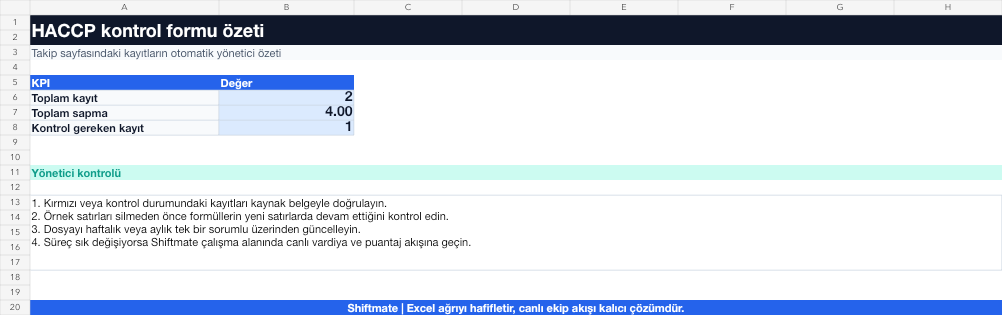
The images below are the actual data entry and executive summary pages of the workbook to be downloaded.

Step by step usage
Prepare the file according to your business
Record the critical control point, hazard, critical limit, monitoring method, measurement, responsible, deviation, corrective action, and verification in your approved HACCP plan.
Run formulas and checks
The measurement is compared to the critical limit. In the out-of-control result, a mere unsuitable sign is not enough; affected product, corrective action and verification are tracked together.
Turn results into action
Review the indicators on the summary page. Only include CCPs in the approved HACCP plan. Specify the measurement method and device. Record corrective action and verification separately.
What does this Excel file solve?
Manage critical control point, limit, measurement, deviation, corrective action and verification in a single record table. Record the critical control point, hazard, critical limit, monitoring method, measurement, responsible, deviation, corrective action, and verification in your approved HACCP plan.
What's inside the file?
Critical control point, Limit and measurement, Deviation recording, Corrective action verification. The file contains sample rows, canned formulas, data validation fields, risk colorings, and executive summary.
Calculation and control logic
The measurement is compared to the critical limit. In the out-of-control result, a mere unsuitable sign is not enough; affected product, corrective action and verification are tracked together.
Worked example: Critical limit deviation recording
CCP: business-specific cooking step. Defined limit: the value in the approved plan. Measurement: out of limit. Result: The recording automatically goes into deviation state; The corrective action planned for the product and process is applied and verified by the authorized person.
Decisions that can be taken as a result of this
Only include CCPs in the approved HACCP plan. Specify the measurement method and device. Save corrective action and validation separately
Common usage mistakes
Declaring each control CCP. Copying the critical limit from general internet information. Not specifying the affected product in the deviation record
Limits and proper use
This file does not create a HACCP plan and does not perform hazard analysis. The plan prepared by the competent team should be adapted as a registration form.
Compatibility and quality control
All 67 workbooks underwent formula error scanning, recalculation checking, and page-by-page visual inspection. Standard .xlsx file; Does not contain macros or external links. Formulas and data validation fields run inside the file. It is recommended that you keep the original file and work on a separate copy for your business.
Transitioning from Excel to automation
Use the file to solve restaurant operation needs immediately. When registration and approval traffic grows, move the same process to the Shiftmate workspace.
Relevant official and technical resources
Frequently asked questions
Are checkpoint and critical control point the same?
No. CCP is the critical step to control a significant food safety hazard to an acceptable level; The decision must be based on competent hazard analysis.
Is the row deleted when the critical limit is exceeded?
No. The deviation must be maintained as a traceable record with information on the product affected, corrective action and verification.