Shiftmate
Fridge and freezer temperature tracking Excel form
Compare equipment temperature to target ranges, record deviations and corrective actions on a shift-by-shift basis.
Prepared by:Shiftmate Product and Operations Team · Son kontrol:
Actual file previews
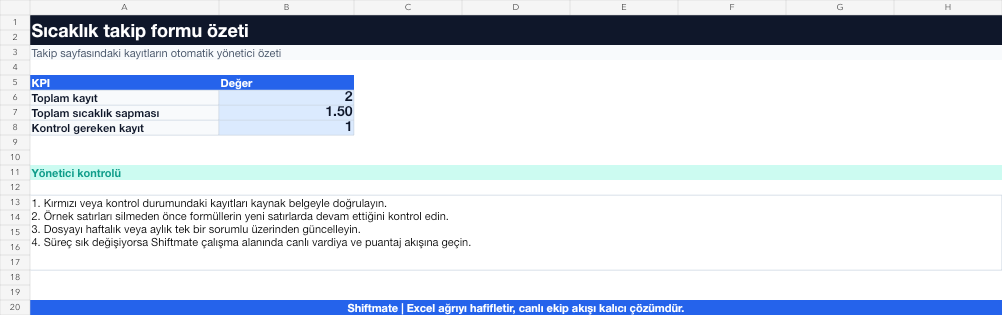
The images below are the actual data entry and executive summary pages of the workbook to be downloaded.

Step by step usage
Prepare the file according to your business
Record equipment name and code, measurement date-time, defined minimum/maximum limit, measured value, person measuring, deviation and corrective action.
Run formulas and checks
If the measurement is not between the defined lower and upper limit, it is marked as a deviation. You must set the limits based on your product, equipment and approved food safety plan.
Turn results into action
Review the indicators on the summary page. Enter the limit according to the approved plan. Record the action of the deviation, not just the degree. Link repetitive equipment to the maintenance list.
What does this Excel file solve?
Compare equipment temperature to target ranges, record deviations and corrective actions on a shift-by-shift basis. Record equipment name and code, measurement date-time, defined minimum/maximum limit, measured value, person measuring, deviation and corrective action.
What's inside the file?
Minimum and maximum limit, Measured temperature, Deviation warning, Corrective action. The file contains sample rows, canned formulas, data validation fields, risk colorings, and executive summary.
Calculation and control logic
If the measurement is not between the defined lower and upper limit, it is marked as a deviation. You must set the limits based on your product, equipment and approved food safety plan.
Worked example: Shift temperature control
Equipment limit: 0-4 °C. Morning measurement: 3.2 °C. Evening measurement: 7.1 °C. Result: Evening recording gives deviation; The product safety procedure is implemented, equipment is checked and corrective action is verified.
Decisions that can be taken as a result of this
Enter the limit according to the approved plan. Record the action of the deviation, not just the degree. Link repetitive equipment to maintenance list
Common usage mistakes
Giving the same temperature limit to every equipment. Not writing down the measurement time. Marking the deviation as corrected and not taking a verification measurement
Limits and proper use
The example limits in the template are not official instructions. Use limits appropriate to the product, process, equipment and applicable food safety plan.
Compatibility and quality control
All 67 workbooks underwent formula error scanning, recalculation checking, and page-by-page visual inspection. Standard .xlsx file; Does not contain macros or external links. Formulas and data validation fields run inside the file. It is recommended that you keep the original file and work on a separate copy for your business.
Transitioning from Excel to automation
Use the file to solve restaurant operation needs immediately. When registration and approval traffic grows, move the same process to the Shiftmate workspace.
Relevant official and technical resources
Frequently asked questions
Which temperature limit should be used?
Use the limit established for your product, equipment and approved food safety plan; Don't automatically accept the general value on the internet.
What information should be recorded after the deviation?
A record should be kept of measurement, product impact, corrective action taken, responsible, and verification showing that the action was effective.