Shiftmate
New employee 30-day onboarding Excel plan
Follow the new employee's paperwork, training, duties and first 30-day control steps with accountability and deadlines.
Prepared by:Shiftmate Product and Operations Team · Son kontrol:
Actual file previews
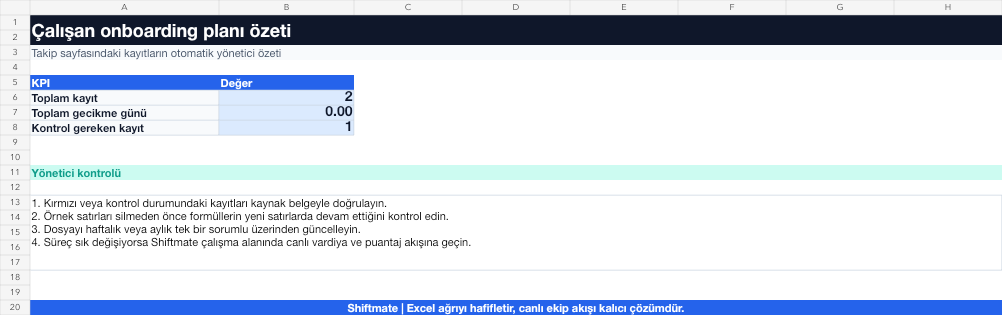
The images below are the actual data entry and executive summary pages of the workbook to be downloaded.

Step by step usage
Prepare the file according to your business
Before starting work, define paperwork, access, equipment, training, and first shift tasks with responsible person and due date.
Run formulas and checks
Completion rate is the ratio of completed tasks to the total task. The overdue check highlights tasks that are overdue but not completed.
Turn results into action
Review the indicators on the summary page. Mark the first day critiques separately. Assign one person responsible for each task. Schedule a 7 and 30 day feedback call.
What does this Excel file solve?
Follow the new employee's paperwork, training, duties and first 30-day control steps with accountability and deadlines. Before starting work, define paperwork, access, equipment, training and first shift tasks with responsible person and due date.
What's inside the file?
30-day task plan, Responsible and due date, Completion rate, Delay warning. The file contains sample rows, canned formulas, data validation fields, risk colorings, and executive summary.
Calculation and control logic
Completion rate is the ratio of completed tasks to the total task. The overdue check highlights tasks that are overdue but not completed.
Worked example: Barista first 30 days plan
24 onboarding missions. 8 missions on the first day. 10 missions in the first week. 6 development challenges in 30 days. Result: At the end of the first day, access and hygiene training appears to be lacking; Tasks are completed without the employee being left alone for the shift.
Decisions that can be taken as a result of this
Mark the first day critiques separately. Assign one person responsible for each task. Schedule a 7 and 30 day feedback call
Common usage mistakes
Mistaking their duties as solely HR responsibilities. Adding tasks without due dates. Closing the training completion record without proof
Limits and proper use
The file does not replace your company procedure; Adapt tasks to suit role, occupational health, food safety and access needs.
Compatibility and quality control
All 67 workbooks underwent formula error scanning, recalculation checking, and page-by-page visual inspection. Standard .xlsx file; Does not contain macros or external links. Formulas and data validation fields run inside the file. It is recommended that you keep the original file and work on a separate copy for your business.
Transitioning from Excel to automation
Use the file to solve human resources operations needs immediately. When registration and approval traffic grows, move the same process to the Shiftmate workspace.
Relevant official and technical resources
Frequently asked questions
When should onboarding start?
Documentation, equipment and access preparation before the start date; Role training and feedback steps should be spread over the first 30 days.
Can the same plan be used for different roles?
The basic structure can be used, but the task list should be copied separately by barista, cashier, kitchen or call center role.