Shiftmate
Branch manager daily activity report Excel
Summarize daily sales, number of transactions, staff hours, absenteeism, customer issues and open tasks.
Prepared by:Shiftmate Product and Operations Team · Son kontrol:
Actual file previews
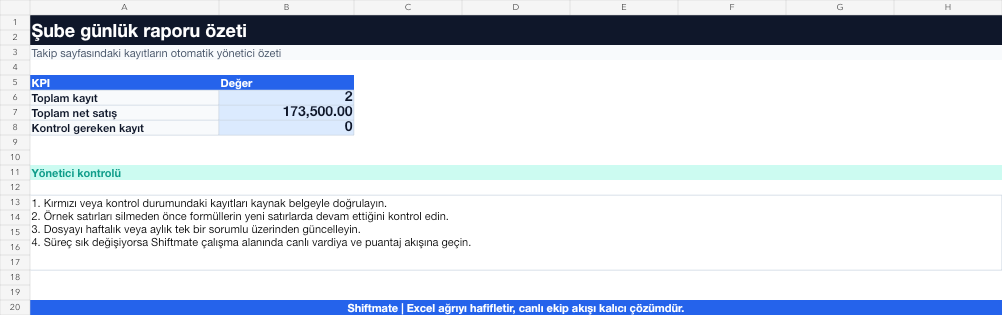
The images below are the actual data entry and executive summary pages of the workbook to be downloaded.

Step by step usage
Prepare the file according to your business
Enter daily net sales, number of transactions, staff hours, absenteeism, customer issues, critical stock and tasks carried over to the next day at the close of the shift.
Run formulas and checks
The summary combines the number of sales/transactions, sales/staff hours, and open roles on the same date. Compare days with operational load and quality signals, not just turnover.
Turn results into action
Review the indicators on the summary page. Escalate the repetitive open task. Read the sale with staff hours. Appoint the person responsible for the next day before the shift closes.
What does this Excel file solve?
Summarize daily sales, number of transactions, staff hours, absenteeism, customer issues and open tasks. Enter daily net sales, number of transactions, staff hours, absenteeism, customer issues, critical stock and tasks carried over to the next day at the close of the shift.
What's inside the file?
Daily sales and transactions, Staff hours, Operation problems, Branch performance score. The file contains sample rows, canned formulas, data validation fields, risk colorings, and executive summary.
Calculation and control logic
The summary combines the number of sales/transactions, sales/staff hours, and open roles on the same date. Compare days with operational load and quality signals, not just turnover.
Worked example: Comparing two days
Friday sales: 96,000 TL / 112 staff hours. Saturday sales: 101,000 TL / 146 staff hours. Result: Although turnover is high on Saturday, sales per hour decrease; The manager reviews shift start times and density distribution.
Decisions that can be taken as a result of this
Escalate the repetitive open task. Read the sale with staff hours. Appoint the person responsible for the next day before the shift closes.
Common usage mistakes
Filling out the report from memory the next day. Only write down the positive results. Not appointing a responsible person to an open position
Limits and proper use
The daily report is not a financial accounting record; Separate reconciliation with POS, cash register and official financial records is required.
Compatibility and quality control
All 67 workbooks underwent formula error scanning, recalculation checking, and page-by-page visual inspection. Standard .xlsx file; Does not contain macros or external links. Formulas and data validation fields run inside the file. It is recommended that you keep the original file and work on a separate copy for your business.
Transitioning from Excel to automation
Use the file to solve restaurant operation needs immediately. When registration and approval traffic grows, move the same process to the Shiftmate workspace.
Frequently asked questions
When should the report be filled out?
At shift close, data should be completed while it is still verifiable and open tasks should be handed over to the next shift.
How should branches be compared?
Use the same definitions and terms; Compare transactions, staff hours, issues and task closure rate as well as turnover.