Shiftmate
Staff availability and shift preference Excel template
Collect employees' weekly availability, preferred shift, role and maximum hours information in a single table.
Prepared by:Shiftmate Product and Operations Team · Son kontrol:
Actual file previews
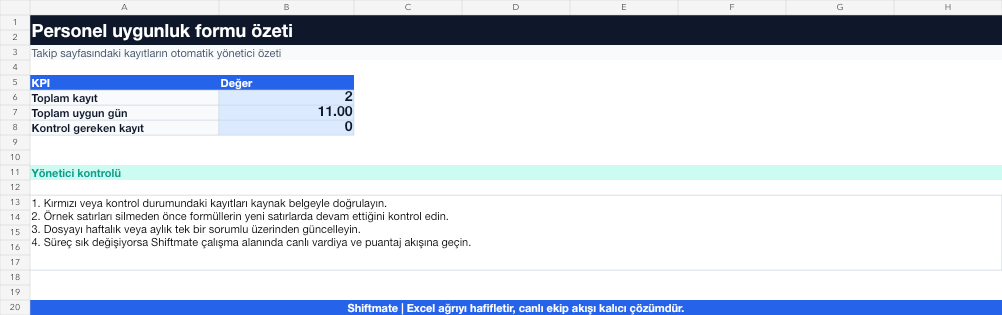
The images below are the actual data entry and executive summary pages of the workbook to be downloaded.

Step by step usage
Prepare the file according to your business
For each employee, enter the role, the days they can work, the shift block they prefer, and the weekly cap they accept. Do not leave an empty cell instead of Unavailable; use standard options.
Run formulas and checks
The summary aggregates available days and maximum hours by employee. Before publishing the plan, check the common availability window for employees with the same role to see any closing or weekend openings.
Turn results into action
Review the indicators on the summary page. Look for employees to work on days with poor coverage. Distinguish between preference and mandatory assignment. Move the hour cap to the shift schedule.
What does this Excel file solve?
Collect employees' weekly availability, preferred shift, role and maximum hours information in a single table. For each employee, enter the role, the days they can work, the shift block they prefer, and the weekly cap they accept. Do not leave an empty cell instead of Unavailable; use standard options.
What's inside the file?
7-day availability matrix, Preferred shift, Maximum weekly hours, Available days summary. The file contains sample rows, canned formulas, data validation fields, risk colorings, and executive summary.
Calculation and control logic
The summary aggregates available days and maximum hours by employee. Before publishing the plan, check the common availability window for employees with the same role to see any closing or weekend openings.
Worked example: Part-time barista plan
4 baristas. 7 days availability. 24 hour limit per person. Result: Only one person appears available at closing Saturday; The manager asks for an alternative without publishing the shift.
Decisions that can be taken as a result of this
Look for employees to work on days with poor coverage. Distinguish between preference and mandatory assignment. Move hour cap to shift schedule
Common usage mistakes
Accepting availability and preference information as the same. Leaving the weekly hour limit blank. Copying the old week's answers to the new plan
Limits and proper use
This file collects the employee declaration; It does not automatically assign shifts and does not create approval history. Also have the final plan confirmed by employees.
Compatibility and quality control
All 67 workbooks underwent formula error scanning, recalculation checking, and page-by-page visual inspection. Standard .xlsx file; Does not contain macros or external links. Formulas and data validation fields run inside the file. It is recommended that you keep the original file and work on a separate copy for your business.
Transitioning from Excel to automation
Use the file to quickly solve shift and workforce planning needs. When registration and approval traffic grows, move the same process to the Shiftmate workspace.
Relevant official and technical resources
Frequently asked questions
Is the available employee considered to have accepted the shift?
No. Availability is the knowledge of being able to work those hours; preference and final assignment should be kept separate.
How can I share the form with employees?
You can share a blank copy of the file or draft a single linked form from the relevant free availability tool.