Shiftmate
Recruitment interview evaluation Excel form
Compare candidates on experience, communication, technical proficiency, culture fit and availability.
Prepared by:Shiftmate Product and Operations Team · Son kontrol:
Actual file previews
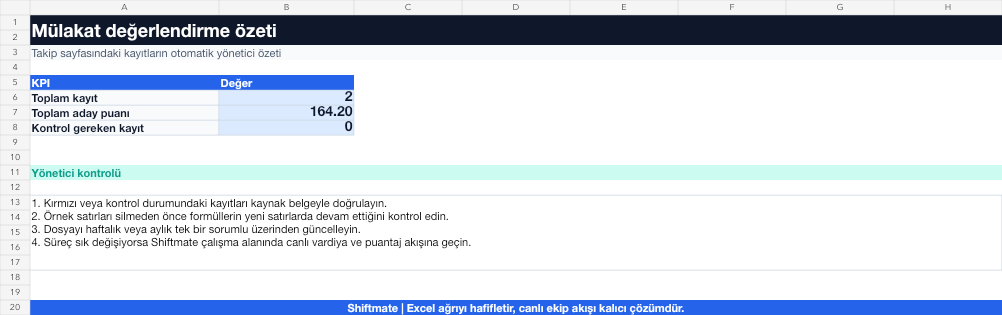
The images below are the actual data entry and executive summary pages of the workbook to be downloaded.

Step by step usage
Prepare the file according to your business
Determine measurable criteria for the role before the interview. Enter candidate, interviewer, criterion score, evidence score, and decision status in separate fields.
Run formulas and checks
The average or weighted score compares candidates within the same framework. Do not use score difference alone without concrete criteria-based interview notes.
Turn results into action
Review the indicators on the summary page. Write the criteria by role. Add short evidence notes to each point. Save the decision reason with the standard option.
What does this Excel file solve?
Compare candidates on experience, communication, technical proficiency, culture fit and availability. Determine measurable criteria for the role before the interview. Enter candidate, interviewer, criterion score, evidence score, and decision status in separate fields.
What's inside the file?
Candidate scorecard, 5 evaluation criteria, Average score, Decision area. The file contains sample rows, canned formulas, data validation fields, risk colorings, and executive summary.
Calculation and control logic
The average or weighted score compares candidates within the same framework. Do not use score difference alone without concrete criteria-based interview notes.
Worked example: Comparing two cashier candidates
5 criteria. Candidate A: 78 points. Candidate B: 81 points. Critical shift availability. Result: Although Candidate B is ahead overall, he appears to have no closing eligibility; The decision is made along with the role requirement and evidence notes.
Decisions that can be taken as a result of this
Write the criteria by role. Add short evidence notes to each point. Save decision reason with standard option
Common usage mistakes
Mistaking a personality impression for a competence score. Changing criteria during the interview. Collecting unnecessary personal or sensitive data
Limits and proper use
The tool is decision support; It does not legitimize discriminatory criteria. Consider only business-related, necessary and proportionate information.
Compatibility and quality control
All 67 workbooks underwent formula error scanning, recalculation checking, and page-by-page visual inspection. Standard .xlsx file; Does not contain macros or external links. Formulas and data validation fields run inside the file. It is recommended that you keep the original file and work on a separate copy for your business.
Transitioning from Excel to automation
Use the file to solve human resources operations needs immediately. When registration and approval traffic grows, move the same process to the Shiftmate workspace.
Relevant official and technical resources
Frequently asked questions
How many evaluation criteria should be used?
The 4-7 criteria distinguishing the role generally remain readable; Define in advance what is a high or low score for each criterion.
How do multiple interviewers use it?
Each interviewer should use a separate score column; Differences of opinion as large as average should be examined at the decision meeting.