Shiftmate
Calculating menu price based on target margin Excel
See the suggested selling price and current price margin from the recipe cost and target food cost ratio.
Prepared by:Shiftmate Product and Operations Team · Son kontrol:
Actual file previews
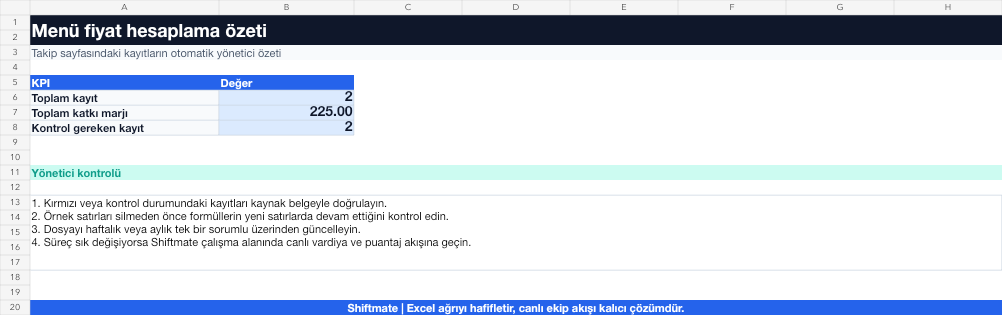
The images below are the actual data entry and executive summary pages of the workbook to be downloaded.

Step by step usage
Prepare the file according to your business
Enter the current prescription cost, target food cost rate, current selling price, and channel costs if necessary. Type the percentage in the percent field instead of decimal.
Run formulas and checks
The recommended net selling price is found by dividing the prescription cost by the target food cost ratio. The current rate is the cost of the prescription divided by the current selling price.
Turn results into action
Review the indicators on the summary page. Set the target rate by product category. Test price by channel and tax impact. Recalculate the ratio after rounding.
What does this Excel file solve?
See the suggested selling price and current price margin from the recipe cost and target food cost ratio. Enter the current prescription cost, target food cost rate, current selling price, and channel costs if necessary. Type the percentage in the percent field instead of decimal.
What's inside the file?
Prescription cost, Target food cost, Recommended price, Current margin comparison. The file contains sample rows, canned formulas, data validation fields, risk colorings, and executive summary.
Calculation and control logic
The recommended net selling price is found by dividing the prescription cost by the target food cost ratio. The current rate is the cost of the prescription divided by the current selling price.
Worked example: Price relative to target
Prescription cost: 84 TL. Target food cost: 30%. Current price: 250 TL. Result: Target price becomes 84 / 0.30 = 280 TL; Since the current rate is 33.6%, the price, portion or cost scenario is evaluated.
Decisions that can be taken as a result of this
Set the target rate by product category. Test price by channel and tax impact. Recalculate the ratio after rounding
Common usage mistakes
Entering a coefficient of 30 into the cell instead of 30%. Mixing values including and excluding VAT. Substituting the competitor's price into the cost calculation
Limits and proper use
The calculation is a cost-based recommendation; It does not model customer demand, location, brand, tax and competitive conditions alone.
Compatibility and quality control
All 67 workbooks underwent formula error scanning, recalculation checking, and page-by-page visual inspection. Standard .xlsx file; Does not contain macros or external links. Formulas and data validation fields run inside the file. It is recommended that you keep the original file and work on a separate copy for your business.
Transitioning from Excel to automation
Use the file to solve restaurant operation needs immediately. When registration and approval traffic grows, move the same process to the Shiftmate workspace.
Frequently asked questions
Should the target food cost rate be the same for all products?
No. The cost structure of beverages, main courses and side items may differ; Set targets by category and menu role.
Should I use the suggested price exactly?
No. This is an initial scenario; Test with psychological pricing, channel commission and customer demand.