Shiftmate
Dismissal check and delivery list Excel
Follow the steps of equipment return, access closure, final timesheet, document and transfer on a responsible basis.
Prepared by:Shiftmate Product and Operations Team · Son kontrol:
Actual file previews
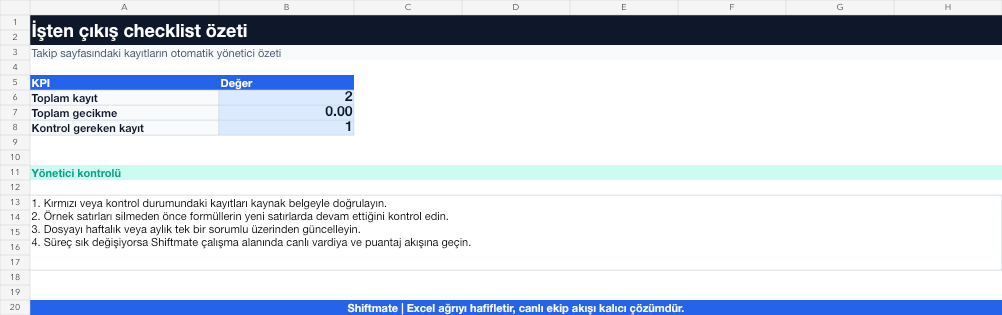
The images below are the actual data entry and executive summary pages of the workbook to be downloaded.

Step by step usage
Prepare the file according to your business
Plan the last working date, final timesheet, equipment return, access closure, transfer, document and responsible steps on an employee basis.
Run formulas and checks
Completion rate is the ratio of closed tasks to total tasks. The process should not be considered complete until access and presence tasks marked as critical are completed.
Turn results into action
Review the indicators on the summary page. Separate the critical task from the normal task. Assign responsibility and deadlines to each step. Compare the final timesheet with the shift record.
What does this Excel file solve?
Follow the steps of equipment return, access closure, final tally, document and transfer on a responsible basis. Plan the last working date, final tally, equipment return, access closure, transfer, document and responsible steps on an employee basis.
What's inside the file?
Exit task list, Responsible assignment, Completion rate, Open transaction alert. The file contains sample rows, canned formulas, data validation fields, risk colorings, and executive summary.
Calculation and control logic
Completion rate is the ratio of closed tasks to total tasks. The process should not be considered complete until access and presence tasks marked as critical are completed.
Worked example: Branch employee exit day
14 control steps. 12 completed. Open: safe access and key. Conclusion: Although the overall rate is 85.7%, two critical tasks appear clear; The administrator revokes access and receives the key without closing the logout record.
Decisions that can be taken as a result of this
Separate the critical task from the normal task. Assign responsibility and deadlines to each step. Compare final tally with shift record
Common usage mistakes
Closing the process without being 100 percent. Cutting off access before the last working day. Receive proof of delivery only verbally
Limits and proper use
The checklist is not a legal termination document. Manage notification, payment and document obligations with an authorized expert.
Compatibility and quality control
All 67 workbooks underwent formula error scanning, recalculation checking, and page-by-page visual inspection. Standard .xlsx file; Does not contain macros or external links. Formulas and data validation fields run inside the file. It is recommended that you keep the original file and work on a separate copy for your business.
Transitioning from Excel to automation
Use the file to solve human resources operations needs immediately. When registration and approval traffic grows, move the same process to the Shiftmate workspace.
Relevant official and technical resources
Frequently asked questions
When should the dismissal checklist be opened?
It should be opened when the departure date is finalized; The timing of access and handover steps should be planned according to the employee's role.
Why is the final timesheet checked separately?
Entry-exit differences with the published shift may require reconciliation prior to final payment.