Shiftmate
Staff training and certification tracking Excel template
See employee training, certifications, expiration dates and renewal needs.
Prepared by:Shiftmate Product and Operations Team · Son kontrol:
Actual file previews
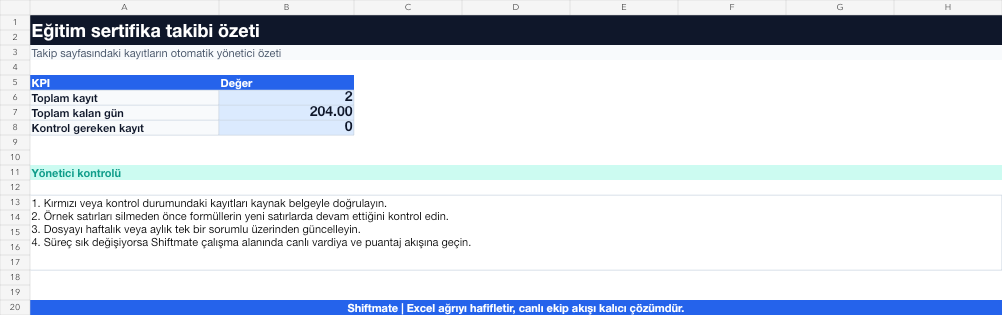
The images below are the actual data entry and executive summary pages of the workbook to be downloaded.

Step by step usage
Prepare the file according to your business
Record the employee, training or certification name, issuing institution, completion date, validity period, and renewal contact.
Run formulas and checks
Days remaining is the difference between the certificate expiration date and the control date. A negative value indicates expiration, while a value below the threshold indicates impending renewal.
Turn results into action
Review the indicators on the summary page. Separate legal and operational training. Designate responsible for renewal. Save the certificate verification link.
What does this Excel file solve?
See employee training, certifications, expiration dates and renewal needs. Record the employee, training or certification name, issuing institution, completion date, validity period, and renewal contact.
What's inside the file?
Training records, Certificate expiration date, Remaining days calculation, Renewal alert. The file contains sample rows, canned formulas, data validation fields, risk colorings, and executive summary.
Calculation and control logic
Days remaining is the difference between the certificate expiration date and the control date. A negative value indicates expiration, while a value below the threshold indicates impending renewal.
Worked example: Refresh calendar
32 active certificates. Warning threshold: 30 days. 5 registrations to end in 45 days. Result: Two records appear to fall within the 30-day threshold; training dates are booked in advance of the shift schedule.
Decisions that can be taken as a result of this
Separate legal and operational training. Designate responsible for renewal. Save the certificate verification link
Common usage mistakes
Confusing the completion date with the completion date. Giving arbitrary end dates to indefinite education. Keeping the terminated employee on an active report
Limits and proper use
The template is a reminder tool; It does not verify the legal sufficiency of the education or the validity of the document.
Compatibility and quality control
All 67 workbooks underwent formula error scanning, recalculation checking, and page-by-page visual inspection. Standard .xlsx file; Does not contain macros or external links. Formulas and data validation fields run inside the file. It is recommended that you keep the original file and work on a separate copy for your business.
Transitioning from Excel to automation
Use the file to solve human resources operations needs immediately. When registration and approval traffic grows, move the same process to the Shiftmate workspace.
Relevant official and technical resources
Frequently asked questions
How to save indefinite training?
Mark the validity field as indefinite and keep it in a separate tracking field if an internal refresh date is required.
How often should you check for upcoming renewals?
Determine a weekly or monthly routine according to the risk of the operation; Allow longer lead time for critical certificates.